






Typically, most small business websites fail for one of two reasons. Some look beautiful but never appear on Google, so nobody sees them. Others attract traffic but never turn it into inquiries, calls, or sales.
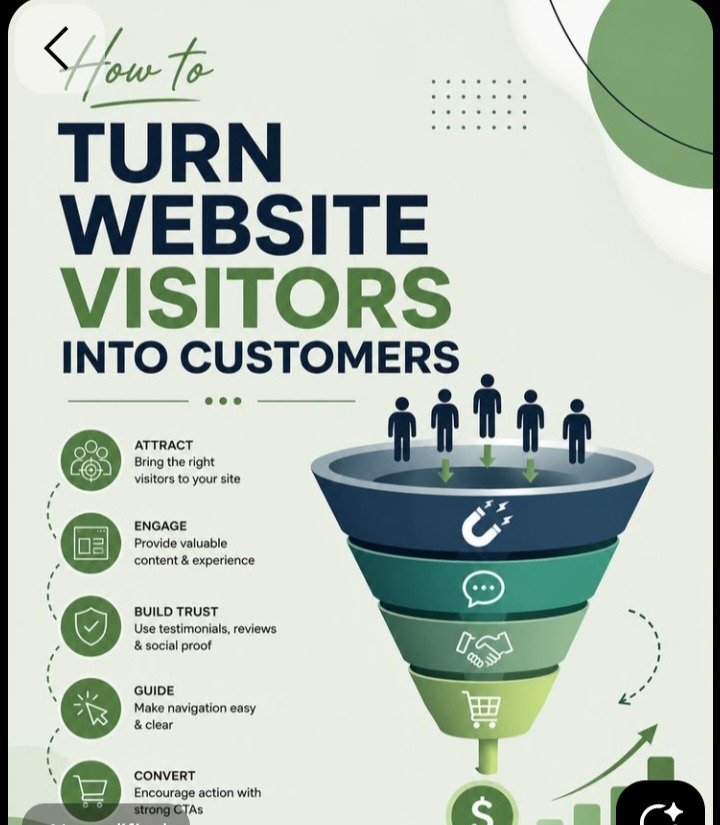
If you want to know how to build a website that does both, you need to treat website design and SEO as one discipline. Design decides whether visitors trust you and take action. SEO decides whether they find you in the first place.
Additionally, this guide walks through the process step by step, from planning to launch to ongoing improvement. It is written for anyone building a website for a small business, whether you do it yourself or hire a professional.
Additionally, how much does it cost to build a website for a small business?
A DIY builder can cost under a few hundred dollars a year, while a professionally designed, SEO-optimized site typically costs more. Thus, costs vary with the number of pages, features, and the level of customization.
Why Website Design And SEO Must Work Together
Many owners treat these as separate jobs. A designer builds the site, and an SEO specialist is hired months later to “fix” it. This approach is expensive and slow, because a site that wasn’t built with search in mind often needs structural changes later.
Google’s goal is to show users the most helpful, trustworthy, and usable result. That means the same things that make a site pleasant for humans also help it rank:
● Fast loading pages
● Clear navigation and logical structure
● Mobile-friendly layouts
● Helpful, well-organized content
● A secure connection (HTTPS)
Conversely, a site with strong SEO but weak design gets clicks that bounce. A site with strong design but weak SEO gets admired by the few people who find it. You need both from day one.
Can I Build A Website That Ranks Without Hiring An SEO Expert?
Yes, if you follow the fundamentals: research keywords, create useful content, optimize pages, and keep the site fast and mobile-friendly.
Competitive industries may need professional support.
Step 1: Define Your Goal, Audience, And Search Intent
Before choosing colors or a platform, answer three questions.
What is the one main action you want visitors to take? It might be booking a consultation, requesting a quote, calling your shop, or buying a product. Every page should support this goal.
Who are you building for? Write down your ideal customer’s age range, location, problems, and the questions they ask before buying. The more specific you are, the easier it becomes to write content that matches their needs.
What is their search intent? Search intent is the reason behind a query. Someone searching “how to build a website” wants information. Someone searching “web designer near me” wants to hire me. Someone searching “website design pricing” is comparing options. Your pages should match the intent behind the keywords you target. A sales page ranking for an informational query rarely works, and neither does a blog post ranking for a purchase query.
Step 2: Do Keyword Research Before You Build
Keyword research tells you the exact words your customers type into Google. Doing it before you build means your site structure reflects real demand.
Start with a primary keyword for each page. For this article, the primary keywords are website design and SEO, with secondary keywords such as website for small business and how to build a website.
A simple process:
- List seed topics. Write down your services, products, and the problems you solve.
- Expand with tools. Google’s auto-complete, the “People also ask” box, and free tools like Google Keyword Planner reveal related searches.
- Check the competition. Search your target phrase and see who ranks. If the first page is full of major brands, aim for a more specific, long-tail version such as “website design for small restaurants.”
- Map keywords to pages. Assign one main keyword to each page so your own pages don’t compete against each other.
Long-tail keywords (longer, more specific phrases) are especially valuable for small businesses. They have lower competition and usually come from people closer to making a decision.
For a deeper look at how intent and keywords shape content, Moreed Digital Solutions publishes a helpful SEO content writing guide that covers search intent, on-page optimization, and measuring return on investment.
How Long Does It Take To Rank on Google?
There is no fixed timeline, but expect several months for meaningful progress, especially for a new domain.
Step 3: Choose Your Platform, Domain, And Hosting

Additionally,
Your technical foundation affects speed, security, and how easily you can update the site.
Platform options
● WordPress: Flexible, SEO-friendly, and widely supported. Best if you want long-term control and plan to publish content regularly.
● Website builders (Wix, Squarespace, Shopify): Faster to launch and easier for beginners. Shopify is strong for online stores.
● Custom development: Best for complex requirements, but costlier and slower.
For most small businesses, WordPress or a quality builder is enough. What matters is that the platform lets you edit title tags, meta descriptions, URLs, headings, image alt text, and redirects.
Domain name
Choose a name that is short, easy to spell, and easy to say aloud. Use a .com or your country’s extension where possible. Avoid hyphens and numbers. A domain with your brand name is better than one stuffed with keywords.
Hosting
Cheap, overloaded hosting leads to slow pages. Choose a provider with solid uptime, a content delivery network (CDN), automatic backups, and a free SSL certificate so your site runs on HTTPS.
Step 4: Plan Your Site Structure And Essential Pages
Site architecture is how your pages are organized and linked. A clear structure helps visitors find things and helps Google understand and crawl your site.
A good rule is that any page should be reachable within three clicks of the homepage.
Core Pages For A Small Business Website:
● Homepage: A clear headline, a short summary of what you do, social proof, and one primary call to action.
● Service or product pages: One page per major service, each targeting its own keyword.
● About page: Your story, team, and credentials. This builds trust.
● Contact page: Phone, email, address, map, and a simple form.
● Testimonials or case studies: Proof that you deliver results.
● Blog: Where you answer customer questions and capture informational searches.
Use clean, descriptive URLs such as /web-design-services rather than /page?id=482. Keep a consistent hierarchy, for example /services/seo and /services/web-design.
Step 5: Design For Users First (and Mobile Above All)
Good design is not decoration. It reduces friction between a visitor and their goal.
Mobile-first design. Google predominantly uses the mobile version of your site for indexing and ranking, and most visitors browse on phones. Design for small screens first, then scale up. Buttons should be easy to tap, text easy to read without zooming, and forms short.
Clear visual hierarchy. Make the most important element on each page the most obvious. Use headings, spacing, and contrast to guide the eye.
Readable typography. Use one or two fonts, a comfortable size (16px or larger for body text), and strong contrast between text and background.
Simple navigation. Limit your main menu to five to seven items with plain labels like “Services,” “About,” and “Contact.” Clever names confuse visitors and search engines.
Authentic visuals. Real photos of your team, products, and work build more trust than generic stock images. Compress every image and add descriptive alt text. This helps speed, accessibility, and image search.
Accessibility. Use proper heading order, sufficient color contrast, and keyboard-friendly navigation. Accessible sites serve more people and tend to be better structured for search engines.
If you’d rather work with a team that handles design and development together, agencies such as Stratvora offer website development built around business growth, and Moreed Digital Solutions provides web design, UI/UX, and digital marketing under one roof.
Step 6: Get The Technical SEO Right
Technical SEO ensures search engines can find, crawl, understand, and index your pages. You don’t need to be a developer, but you should check these essentials.
Page speed and Core Web Vitals. Core Web Vitals measure loading performance, interactivity, and visual stability. To improve them:
● Compress images and use modern formats like WebP
● Enable caching and a CDN
● Minimize heavy scripts and unnecessary plugins
● Choose a lightweight theme
● Lazy-load images below the fold
Crawlability and indexing. Create an XML sitemap and submit it in Google Search Console. Make sure your robots.txt file isn’t accidentally blocking important pages. Fix broken links and avoid long redirect chains.
HTTPS. Secure sites build trust and are a lightweight ranking signal.
Canonical tags. If similar content appears at multiple URLs, canonical tags tell Google which version to prioritize.
Structured data (schema markup). Schema helps search engines understand your content and can earn rich results such as star ratings, FAQs, and business details. Local businesses should add LocalBusiness schema.
Redirects. If you are replacing an old site, map each old URL to its new equivalent with 301 redirects so you don’t lose existing rankings.
Google’s own SEO Starter Guide is the best free reference for these fundamentals and comes straight from the source.
Step 7: Optimize On-Page SEO And Create Helpful Content
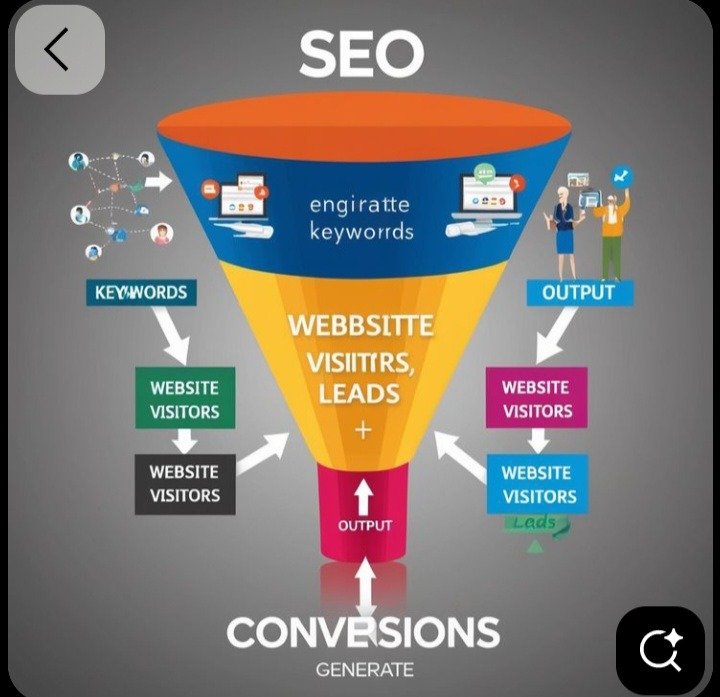
On-page SEO is how you signal to Google what each page is about. Content is where you earn trust and rankings over time.
Page-level checklist:
Title tag: Include your primary keyword near the start, keep it under about 60 characters, and make it compelling.
Meta description: Roughly 150 to 160 characters. It doesn’t directly affect rankings, but a persuasive description improves click-through rate.
H1 heading: One per page, naturally including the main keyword.
Subheadings (H2, H3): Break content into scannable sections and include related terms.
Opening paragraph: State clearly what the page offers within the first 100 words.
Internal links: Link to related pages using descriptive anchor text.
Image alt text: Describe images accurately.
URL: Short, readable, and keyword-relevant.
Write for people, not algorithms. Keyword stuffing no longer works and makes copy awkward. Use your primary keyword naturally and cover related terms and questions a real expert would address.
Demonstrate experience and expertise. Google rewards content that shows first-hand knowledge. Include case studies, original photos, specific examples, author bios, and clear business details.
Build topical depth with a blog. Publish helpful articles that answer questions your customers ask: pricing, comparisons, how-to guides, and common mistakes. Link these posts to your service pages to pass relevance and guide readers toward conversion.
Agencies that specialize in this, such as Moreed’s SEO and content writing service, build blog articles, pillar content, and service page copy designed around keyword strategy and real user questions. You can also browse the Moreed blog for practical examples of digital marketing content.
Step 8: Win Local Search
If you serve customers in a specific area, local SEO may be your biggest opportunity.
- Claim your Google Business Profile. Add accurate categories, hours, photos, services, and a link to your site.
- Keep your NAP consistent. Your name, address, and phone number should match everywhere online.
- Create location pages. If you serve multiple areas, build a unique page for each rather than duplicating content.
- Collect reviews. Ask satisfied customers for Google reviews and respond to every one, positive or negative.
- Embed a map on your contact page and add a local scheme.
The Small Business Development Center network offers a practical overview in its SEO for small business guide, which covers keyword research, technical SEO, and local visibility.
Step 9: Design Your Website To Convert
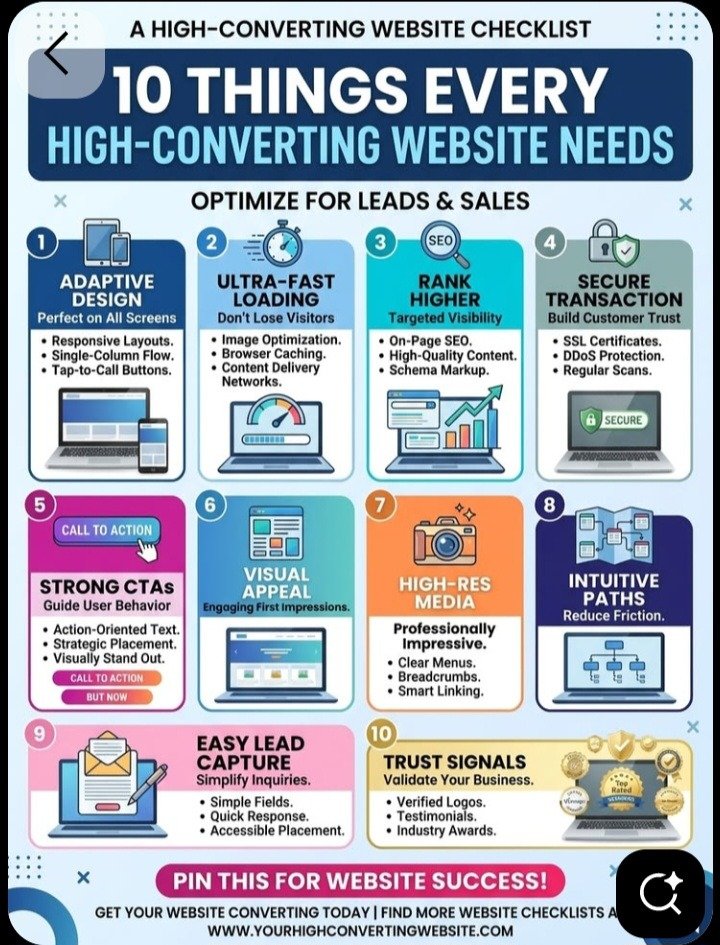
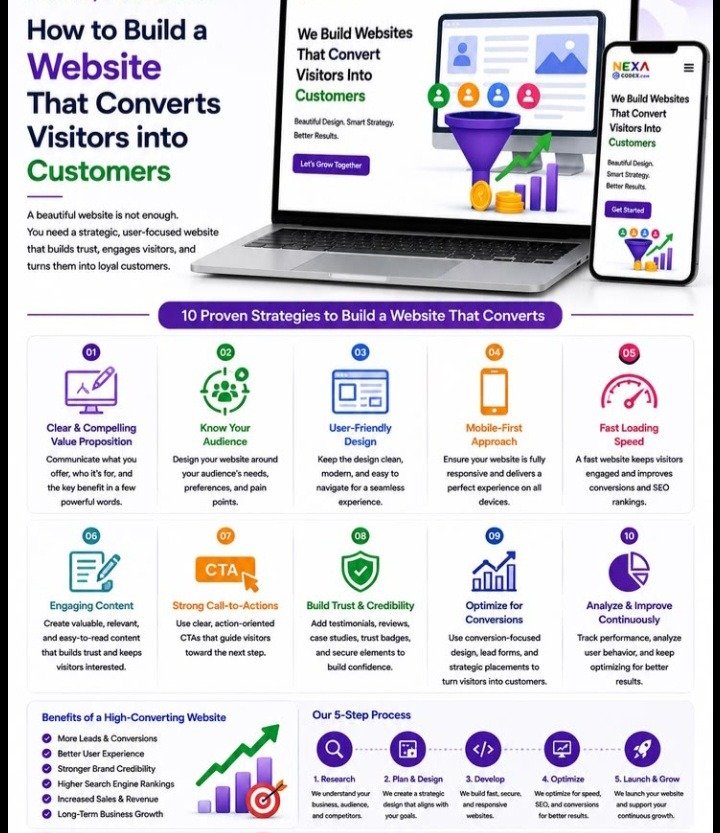
Traffic only matters if it turns into customers. Conversion rate optimization (CRO) is the process of making it as easy as possible for visitors to say yes.
Write a clear value proposition. Within five seconds of landing on your homepage, a visitor should know what you offer, who it is for, and why you are a good choice. Avoid vague slogans.
Use strong, specific calls to action (CTAs). “Get a Free Quote” beats “Submit.” Place a primary CTA above the fold, repeat it after key sections, and keep it consistent across pages. Use contrasting button colors so they stand out.
Reduce friction in forms. Every extra field lowers completion rates. Ask only for what you truly need, usually name, email, and a short message.
Show social proof. Testimonials, star ratings, client logos, case studies, certifications, and “as seen in” badges reduce perceived risk. Real names and photos carry more weight than anonymous quotes.
Make contacting you effortless. Display your phone number prominently and make it click-to-call on mobile. Consider live chat or WhatsApp for quick questions.
Address objections. Add FAQs covering price, timelines, guarantees, and process. Each unanswered question is a reason to leave.
Use trust signals. Show secure payment icons, clear refund policies, privacy information, and visible business details.
Match the page to the promise. If someone clicks a search result about “affordable website design for small business,” the landing page should deliver exactly that, not a generic homepage.
Test and refine. Use A/B testing on headlines, buttons, and layouts. Even small improvements compound. A page converting at 3% instead of 2% delivers 50% more customers from the same traffic.
For businesses that want expert help connecting design, search, and conversion, Stratvora’s digital performance marketing and SEO services focus on turning visibility into measurable growth.
Step 10: Launch, Measure, And Improve
A website is never really finished. Treat launch as the starting point.
Pre-launch checklist:
● Test every page on multiple devices and browsers
● Check forms, links, and checkout flows
● Confirm title tags, meta descriptions, and H1s on every page
● Verify the site isn’t set to “no-index”
● Install Google Analytics and Google Search Console
● Submit your sitemap
● Set up 301 redirects if you’re migrating
Metrics to watch:
● Impressions and clicks (Search Console): Are you being seen and chosen?
● Average position for target keywords
Organic traffic (Analytics)
● Conversion rate and goal completions: Calls, form submissions, purchases
● Bounce rate and engagement time
● Core Web Vitals scores
Be realistic about timing. Paid ads can bring visitors within days, but SEO is a long-term investment. Most sites see early movement within roughly three to six months, with stronger, more stable results often taking six to twelve months depending on competition, content quality, and domain authority. Consistency matters more than any single tactic.
Keep improving. Update older posts, add new content, earn backlinks from reputable sites, fix technical issues as they appear, and use the data to double down on what works.
What Matters More, Design or SEO?
Neither works well alone. SEO brings qualified visitors, and design persuades them to act.
Common Mistakes To Avoid
● Building first, planning later. Skipping keyword research and structure leads to expensive rebuilds.
● Ignoring mobile users. A poor mobile experience hurts both rankings and sales.
● Using one page for everything. Each service deserves its own optimized page.
Thin or duplicated content. Pages with little value rarely rank.
● Slow-loading pages. Over sized images and bloated plugins push visitors away.
● No clear call to action. If visitors don’t know what to do next, they leave.
● Neglecting local SEO. For local businesses, this is often the fastest route to results.
● Never measuring. Without data, you’re guessing.
● Chasing shortcuts. Buying links or keyword stuffing can lead to penalties.
Final Thoughts
Building a website that ranks and converts is not about tricks. It comes down to a few principles applied consistently:
Understand your audience and their search intent.
Build a clear, fast, mobile-friendly structure.
Create genuinely helpful, keyword-aware content.
Fix the technical foundations so Google can crawl and trust your site.
Design every page around a clear next step for the visitor.
Measure results and keep improving.
Follow this process and your site becomes more than an online brochure. It becomes a dependable source of leads and customers. If you’d prefer to work with specialists, explore Moreed Digital Solutions for web design and SEO content, or Stratvora for brand-led website development and digital growth.

